
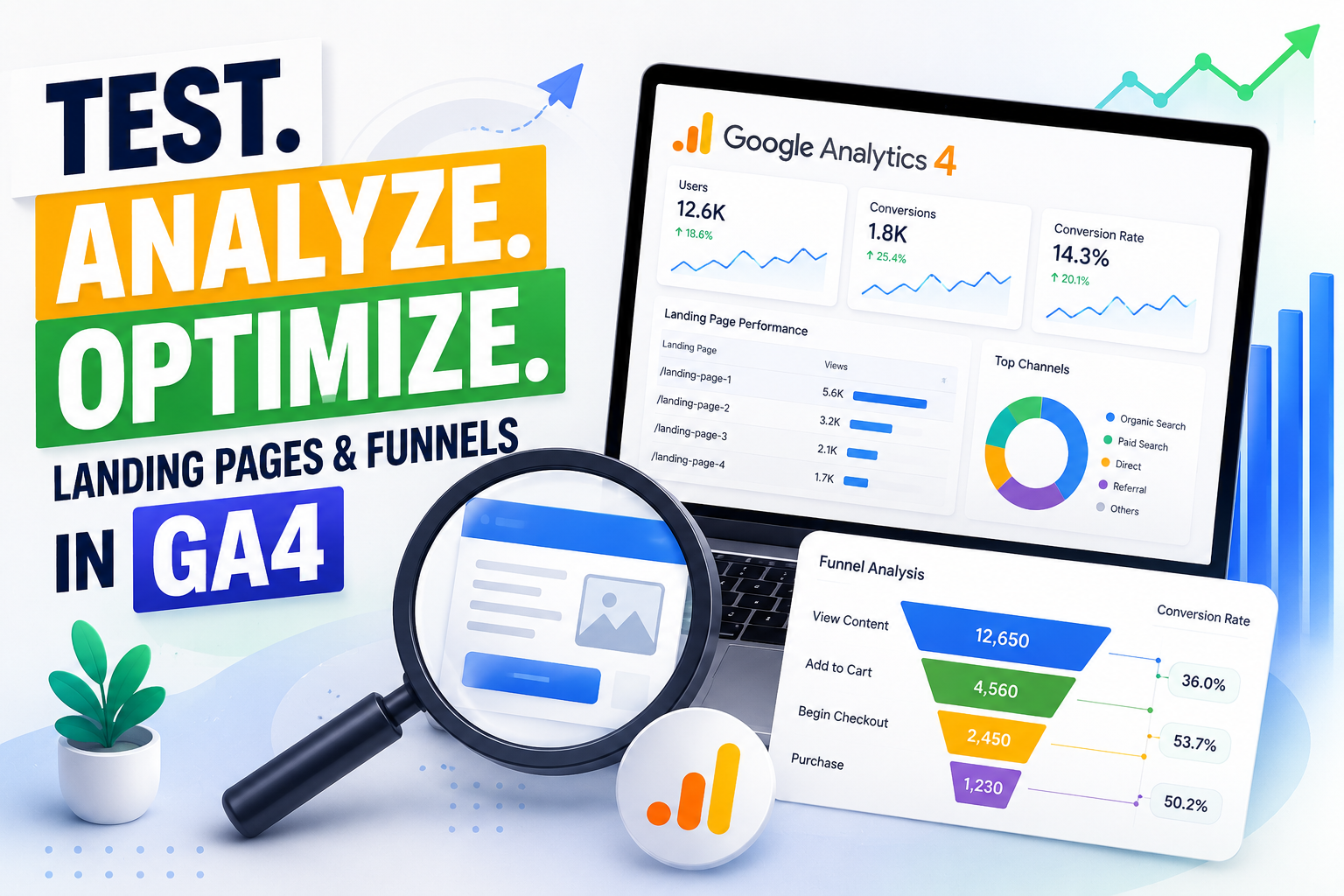
Are you tired of relying on intuition to guess why your visitors leave without buying? In the fast-paced world of digital marketing, data-driven decisions are the only way to ensure sustainable growth.
Monitoring your digital assets through Google Analytics 4 is no longer optional. By tracking Landing Page Performance, you gain the foundational insights needed to decode user intent and refine your strategy.
This guide focuses on how funnels in ga4 allow you to visualize the exact path from an initial click to a final conversion. Mastering these tools helps you replace guesswork with actionable intelligence that directly impacts your bottom line.
Key Takeaways
- Understand the critical role of data in modern digital marketing.
- Learn how to track user behavior to improve conversion rates.
- Visualize the customer journey using advanced analytics tools.
- Shift from making assumptions to executing evidence-based strategies.
- Optimize your digital assets to drive consistent business growth.
Stop Guessing Why Visitors Leave Your Website
Your landing page data already has the answers. Learn exactly where visitors drop off, what blocks conversions, and how Funnels in GA4 can turn lost traffic into real business growth. Start making smarter, data-driven decisions today.
Setting Up Your GA4 Property for Accurate Tracking
Your journey toward data-driven decision-making begins with the correct setup of your GA4 property. Reliable landing page performance insights depend entirely on how well you configure your initial environment. Without a clean foundation, your future analysis may suffer from missing or skewed data points.
Taking the time to configure your settings correctly ensures that every interaction on your site is captured accurately. This process is the non-negotiable first step for any professional aiming to understand their audience behavior. By following a structured approach, you eliminate common pitfalls that often plague new analytics accounts.
Configuring Data Streams and Enhanced Measurement
Data streams act as the primary source of information for your property. You must ensure that your web stream is active and correctly linked to your domain. This connection allows Google Analytics to receive incoming traffic data in real-time.
One of the most powerful features available is Enhanced Measurement. When enabled, this feature automatically tracks common user interactions without requiring you to write custom code. It captures events such as scrolls, outbound clicks, site search queries, and video engagement by default.
Enabling these settings saves significant time and reduces the technical burden on your development team. You can toggle these options within the data stream details page to match your specific tracking needs. This automation ensures stronger landing page performance tracking by never missing critical user interactions during their visit.
Verifying Tag Implementation via Google Tag Manager
Once your property is configured, you must verify that your tags are firing correctly. Google Tag Manager (GTM) serves as the industry standard for managing these tracking snippets. It provides a centralized interface to deploy and test your configuration before it goes live.
Using the Preview Mode in GTM is essential for identifying potential data gaps. This tool allows you to simulate user actions and confirm that events are sent to your GA4 property as expected. If a tag fails to fire, you can troubleshoot the trigger logic immediately.
The following table outlines the differences between manual event tracking and automated measurement features to help you plan your implementation strategy:
| Feature Type | Implementation Effort | Data Accuracy | Customization Level |
|---|---|---|---|
| Enhanced Measurement | Low | High | Limited |
| GTM Tagging | Medium | Very High | Extensive |
| Hard-coded Events | High | High | Full Control |
Consistent verification prevents dirty data that can negatively affect landing page performance analysis. Always perform a final check after any major site update to ensure your tracking remains intact. A proactive approach to maintenance keeps your analytics dashboard healthy and trustworthy.
Defining Key Metrics for Landing Page Performance
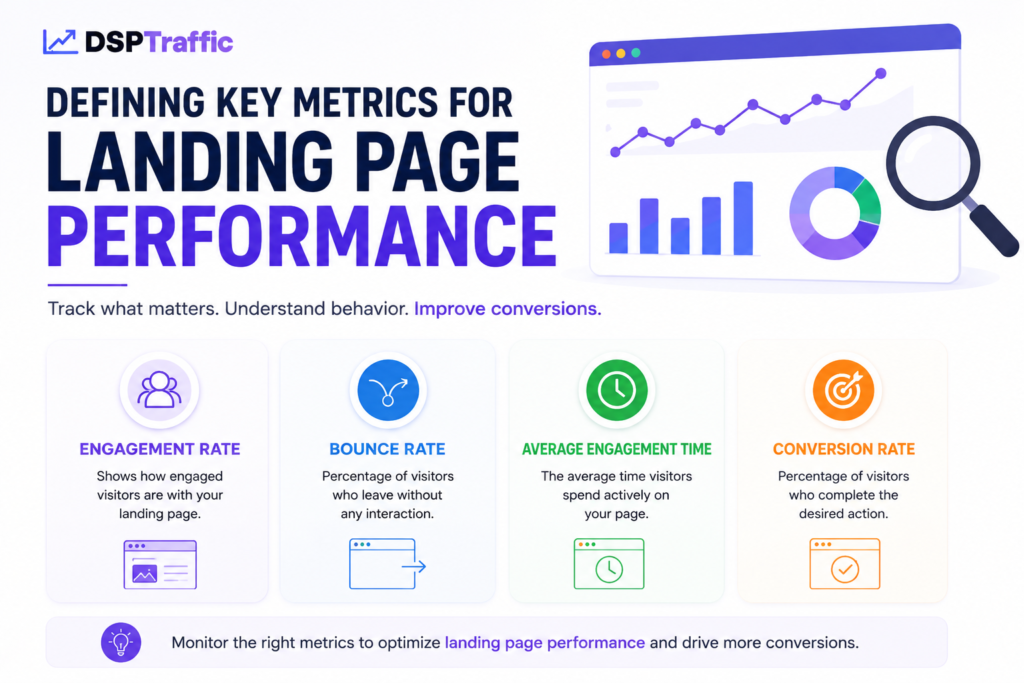
Evaluating your website success requires a shift in how you view visitor behavior. To truly master Landing Page Performance, you must move beyond simple traffic counts and focus on meaningful interactions. By prioritizing data that reflects user intent, you can make informed decisions that drive growth. Understanding real human behavioral signals is also essential for improving engagement and search visibility.
Understanding Engagement Rate and Bounce Rate
In modern analytics, the focus has shifted from the traditional bounce rate to a more nuanced engagement rate. A bounce was historically defined as a single-page session with no interaction, which often failed to account for users who read an entire article before leaving.
The engagement rate provides a clearer picture by measuring sessions that last longer than ten seconds, result in a conversion, or include multiple page views. This metric helps you identify which pages successfully capture user interest and encourage further exploration.
The following table highlights the primary differences between these metrics to help you refine your analysis:
| Metric | Definition | Business Value |
|---|---|---|
| Bounce Rate | Percentage of single-page sessions | Identifies lack of immediate relevance |
| Engagement Rate | Sessions with meaningful interaction | Measures actual user interest |
| Average Engagement Time | Time spent in the active window | Quantifies content consumption depth |
Analyzing Key Events and Conversion Tracking
Tracking specific actions is vital for measuring landing page performance and the success of your marketing efforts. You should configure key events to capture behaviors that align with your business goals, such as form submissions, newsletter sign-ups, or button clicks.
By marking these events as conversions, you gain the ability to see exactly which sources drive the most value. This level of granularity allows you to pinpoint where landing page performance succeeds or fails in meeting user expectations.
Consistent monitoring of these conversion paths ensures that you can optimize your site for better results. When you align your tracking strategy with your core objectives, you transform raw data into a powerful tool for improving your overall Landing Page Performance.
Creating Custom Reports to Monitor Landing Page Performance
Monitoring landing page performance effectively demands a blend of high-level overviews and granular data exploration. By moving beyond default dashboards, you gain the power to tailor your data view to specific business objectives. This strategic approach ensures you have the deep-dive capabilities required to optimize your Landing Page Performance with precision.
Building Explorations for Landing Page Analysis
Explorations in GA4 offer a flexible canvas for those who need to look beyond surface-level metrics. You can create custom funnels or free-form tables that isolate specific traffic sources or user segments. This allows you to see exactly how individual pages contribute to landing page performance and conversion goals.
Watch this quick video to learn how to test landing page performance and funnels in ga4 for better conversions.
When you build these reports, focus on adding dimensions like “Page path” and “Session source.” By layering these with metrics such as “Key events” and “Engagement rate,” you uncover hidden patterns in user behavior. Custom Explorations are essential for identifying which pages drive the most value for your brand.
Utilizing Standard Reports for Quick Insights
While Explorations provide depth, standard reports serve as your daily health check for site activity. These pre-built views allow you to quickly scan your Landing Page Performance without needing to configure complex filters. They are perfect for identifying sudden spikes or drops in traffic at a glance.
You can easily customize the library in GA4 to pin your most relevant reports to the sidebar. This saves time and keeps your focus on the metrics that matter most to your daily operations. Consistency in checking these reports helps you spot trends before they become major issues.
Mapping User Journeys with Funnels in GA4
Understanding exactly where your visitors abandon their journey is the key to improving landing page performance and conversion rates. By visualizing the specific steps a user takes, you gain a clear view of how they interact with your site. Utilizing funnels in ga4 allows you to map out these sequences and pinpoint where potential customers lose interest before completing a purchase or inquiry.
Find the Exact Step Where Conversions Break
Most businesses lose leads without knowing why. Use GA4 funnel exploration, path analysis, and conversion tracking to uncover hidden drop-off points and optimize every stage of your customer journey for higher conversions.
Configuring Funnel Exploration Reports
To begin, navigate to the “Explore” tab in your dashboard and select the “Funnel exploration” template. This tool is designed to help you build a custom visualization of your site’s conversion path. You can define each step by selecting specific events or page views that represent the progression of your goal.
Once you have added your steps, you can customize the sequence to match your actual business logic. Setting up these funnels in ga4 correctly ensures that you are tracking the most meaningful interactions. Always verify that your event names match the ones configured in your data streams to ensure accurate reporting.
Identifying Drop-off Points in Your Conversion Path
After your report is active, look for the red bars between each step in the visualization. These bars represent the users who did not proceed to the next stage of your funnel. Identifying these bottlenecks is the first step toward implementing effective design and content improvements.
High drop-off rates often indicate tpoor landing page performance due to confusing design. By analyzing these funnels in ga4, you can determine if a specific landing page is failing to meet user expectations. Taking action on this data allows you to refine your conversion path and keep more visitors engaged until they reach the final goal.
Segmenting Your Traffic for Deeper Insights
To truly master your landing page performance analytics, you must look beyond aggregate data and start breaking down your traffic. Not all visitors arrive with the same intent, and treating them as a single group often hides critical performance trends. Segmentation is the essential process that allows you to see exactly which groups are driving your success.
Applying Audience Segments to Landing Page Data
You can use GA4 to isolate data based on specific criteria like demographics, device types, or geographic locations. By creating these segments, you gain a clearer picture of how a user in New York might interact with your page compared to a user in London. This level of detail helps improve landing page performance by identifying whether content resonates more strongly.
Applying these filters allows you to tailor your messaging to better suit the needs of your most valuable visitors. When you see that mobile users are dropping off at a higher rate than desktop users, you know exactly where to focus your optimization efforts. This proactive approach prevents you from wasting resources on broad changes that may not benefit your core audience.
Comparing Traffic Sources and Mediums
Understanding where visitors originate is essential for improving landing page performance. Business often analyze real human traffic sources to better understand user behavior and improve campaign performance. By comparing different traffic sources and mediums, you can determine which channels consistently deliver the most qualified leads to your site. You might find that organic search traffic has a higher engagement rate than social media referrals, signaling a need to adjust your strategy.
This comparison is vital for refining your marketing budget and ensuring you invest in the most effective platforms, including evaluating high-ticket affiliate marketing traffic channels. You can easily visualize these differences by using comparison tools within your reports to see how paid search stacks up against email campaigns. Data-driven decisions regarding your traffic sources will ultimately lead to a more efficient and profitable conversion funnel.
Analyzing User Behavior with Path Exploration
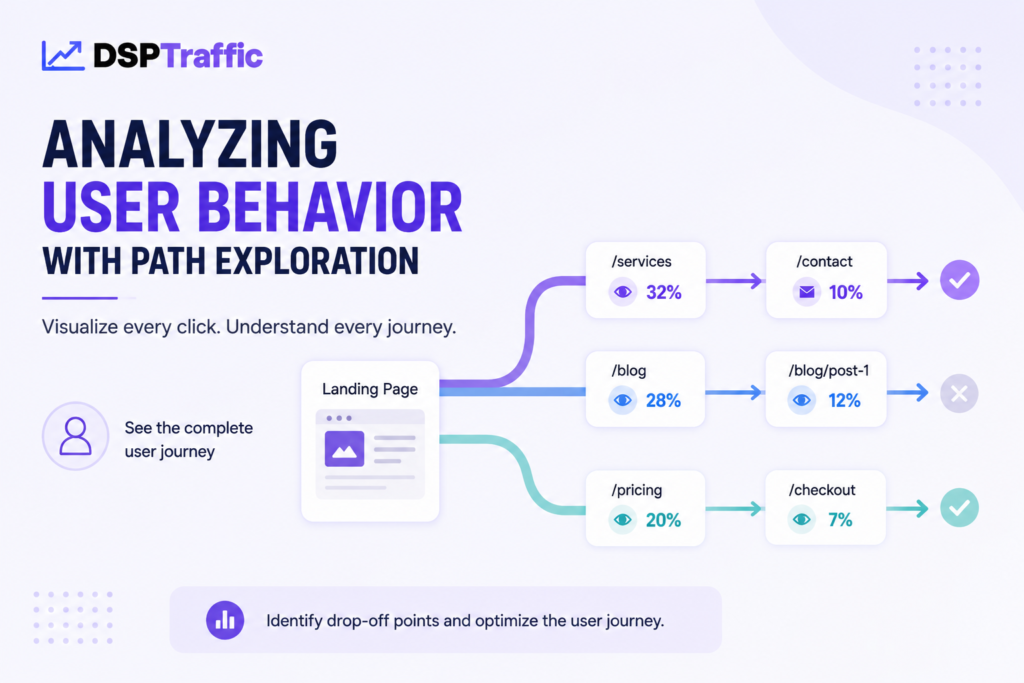
Path exploration in GA4 provides a visual map of your site’s actual user journey. By observing the specific sequence of pages that visitors interact with, you gain invaluable insights for improving landing page performance. This tool moves beyond simple metrics to show you the narrative of a user’s visit.
When you understand the actual flow of traffic, you can make data-driven decisions to improve your site layout. This process helps strengthen landing page performance by ensuring key content remains accessible.
Visualizing Navigation Flows from Landing Pages
To begin your analysis, you should start by selecting your primary landing page as the starting point in the Path Exploration report. This allows you to see exactly where users go after their initial arrival. You might discover that users are following your intended conversion path, or you may find they are clicking on secondary links that distract from your goals.
Visualizing these flows helps you identify which pages act as natural bridges to your checkout or contact forms. If a specific page consistently leads to high-value actions, you should consider promoting that path more prominently. Consistency in navigation is often the key to maintaining user interest throughout their session.
Identifying Unexpected User Paths
Sometimes, users take routes you never anticipated, which can signal issues with your site architecture. You might notice a high volume of traffic moving toward non-essential pages or getting stuck in a loop between two sections. These unexpected patterns often indicate that your internal linking is confusing or that your navigation menu is not intuitive.
By pinpointing these friction points, you can refine your site structure to guide users more naturally toward your objectives. Addressing these navigation gaps often leads to a significant increase in overall landing page performance. The following table outlines common path behaviors and how you should interpret them for better optimization.
| Path Behavior | Potential Meaning | Recommended Action |
|---|---|---|
| Direct to Conversion | High intent and clear design | Maintain current layout |
| Frequent Backtracking | Confusing navigation or missing info | Simplify menu structure |
| Exit on Secondary Page | Lack of clear call-to-action | Add relevant internal links |
| Circular Navigation | User is lost or searching | Improve search functionality |
Integrating SEO Best Practices into Your GA4 Analysis
You can transform your digital strategy by integrating seo best practices to improve landing page performance through your GA4 workflow. By aligning your analytics with search intent, you ensure that every content decision is backed by real user behavior. This approach bridges the gap between technical data and creative content marketing, creating a more cohesive experience for your visitors.
Correlating Organic Search Traffic with Landing Page Metrics
To truly understand your Landing Page Performance, you must look beyond basic traffic numbers. Start by filtering your reports to isolate organic search traffic, which allows you to see exactly how users from search engines interact with your site. Focusing on engagement rates for these specific sessions reveals which pages successfully satisfy the user’s initial query.
When you correlate organic traffic with key events, you identify which landing pages act as high-converting gateways. If a page receives significant traffic but shows a low conversion rate, it may indicate a mismatch between the search query and the page content. Analyzing these patterns helps you prioritize which pages need immediate attention to improve their overall landing page performance.
Optimizing Content Based on Search Query Data
Search query data serves as a goldmine for uncovering hidden opportunities to improve landing page performance. By reviewing the terms that lead users to your site, you can identify content gaps where your current pages might be falling short. This data-driven approach allows you to refine your messaging to better align with what your audience is actively searching for.
Use these insights to update your headlines, meta descriptions, and body copy to improve your visibility in search results and increase organic click-through rate safely. When you consistently apply seo best practices to your optimization efforts, you create a feedback loop that strengthens your site’s authority. Remember that Landing Page Performance is not a static metric; it requires ongoing adjustments based on the evolving search landscape.
Leveraging Conversion Rate Optimization Strategies
You can transform underperforming pages into high-converting assets that improve landing page performance. Once you identify pages that fail to meet your goals, you must apply conversion rate optimization to improve your results. This iterative process relies on constant testing and data-driven decision-making to ensure your site performs at its peak.
Testing Variations with A/B Testing Tools
To refine your user experience and improve landing page performance, you should utilize professional A/B testing tools. These platforms allow you to experiment with different headlines, layouts, and calls to action simultaneously. By serving two versions of a page to your audience, you can objectively determine which elements drive better engagement.
Popular tools like DSPTraffic, Optimizely or VWO help you isolate specific variables. You might test a bold color change on a button or a completely different value proposition in your hero section. Landing page optimization becomes much more effective when you rely on actual user behavior rather than guesswork, especially during conversion testing.
Measuring the Impact of Design Changes on Conversions
After running your experiments, you must analyze the data to confirm your findings. It is vital to ensure that your results reach statistical significance before you declare a winner. This prevents you from making permanent changes based on random fluctuations in traffic.
Focus on key performance indicators such as click-through rates and final conversion events. By comparing the performance of your original page against the new variation, you gain valuable insights into what truly motivates your visitors. Consistent monitoring ensures that your conversion rate optimization efforts lead to long-term growth and improved return on investment.
Troubleshooting Common Data Discrepancies
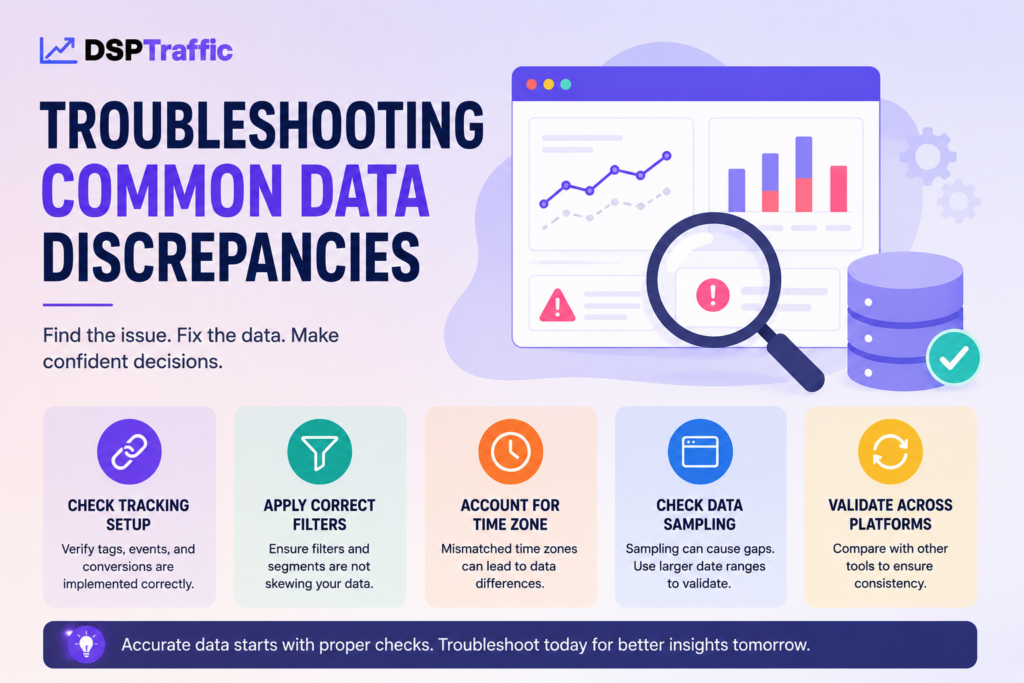
Data discrepancies often hide in the shadows of your analytics, threatening the integrity of your landing page performance and optimization efforts. When your numbers do not reflect actual user behavior, you risk making decisions based on flawed insights. Maintaining clean, accurate data is essential for ensuring that your strategy remains grounded in reality and protected from bot filter avoidance issues.
Resolving Issues with Cross-Domain Tracking
Fragmented user journeys often stem from broken cross-domain tracking configurations. If your users move between your primary site and a separate checkout domain, you must ensure the linker ID passes correctly. Without this, Google Analytics 4 treats the same visitor as two distinct users, which ruins your conversion path analysis.
To fix this, verify that your measurement ID is consistent across all domains. Use the Google Tag Assistant to confirm that the client ID persists as the user navigates through your funnel. Proper configuration is a vital step in effective landing page optimization.
Addressing Missing Event Data and Tagging Errors
Missing event data usually points to misconfigured triggers or tags within Google Tag Manager. You should regularly audit your container to ensure that every critical interaction is captured. If a specific button click or form submission is not firing, check your trigger conditions for syntax errors or conflicting rules.
Use the following table to identify and resolve common technical failures that impact landing page performance data quality:
| Issue Type | Common Cause | Recommended Fix |
|---|---|---|
| Missing Conversions | Incorrect Trigger | Update GTM Trigger Logic |
| Fragmented Sessions | Cross-Domain Failure | Configure Domain Linker |
| Data Latency | Tag Firing Order | Adjust Tag Sequencing |
| Ghost Traffic | Bot Interference | Apply Internal Filters |
By systematically addressing these errors, you protect the accuracy of your landing page optimization. Consistent monitoring ensures that your data remains a reliable guide for future growth.
Advanced Techniques for Funnel Optimization
To truly master your conversion paths, you must leverage the most powerful features available in GA4. Moving beyond standard reports allows you to refine landing page performance and conversion rate optimization efforts with precision. By utilizing advanced configurations, you gain a clearer picture of how users interact with your site, helping you build more effective funnels in ga4.
Implementing Custom Dimensions for Granular Tracking
Custom dimensions allow you to capture specific user attributes that standard tracking might miss. You can define parameters such as user membership levels, specific product categories, or regional preferences to enrich your data set. This granular level of detail is essential for understanding the unique behaviors of your most valuable audience segments.
By mapping these custom attributes to your conversion events, you can identify exactly which user traits correlate with successful outcomes. This approach transforms raw data into actionable intelligence. You will find that tailoring your tracking to your specific business model provides a significant competitive advantage.
Using Predictive Metrics to Forecast Conversion Trends
Predictive metrics represent the next frontier in data analysis. GA4 uses machine learning to estimate future user behavior based on historical patterns. These insights allow you to proactively adjust your strategy for stronger landing page performance before a trend even fully emerges.
For instance, you can identify users who are likely to purchase within the next week or those at risk of churning. Integrating these forecasts into your funnels in ga4 enables you to deliver personalized experiences at the perfect moment. Mastering these tools is a cornerstone of modern conversion rate optimization, ensuring you stay ahead of shifting market demands.
Automating Your Reporting Workflow
Stop wasting hours on manual data entry and start letting your analytics platform do the heavy lifting for you. By automating your reporting workflow, you ensure that key stakeholders always have access to the latest landing page performance data without constant intervention. This shift allows you to focus more on implementing seo best practices and less on the tedious task of compiling spreadsheets.
Scheduling Automated Email Reports in GA4
Google Analytics 4 offers built-in features to keep your team informed through automated email delivery. You can configure these reports to send daily, weekly, or monthly updates directly to your inbox. This consistency helps you monitor trends and react quickly to sudden changes in traffic or user behavior.
To set up your automated emails, follow these simple steps:
- Navigate to the Reports section and select the specific report you wish to share.
- Click the Share icon located in the top right corner of the interface.
- Define the recipient list, frequency, and format of the email delivery.
- Review your settings to ensure the data aligns with your current seo best practices.
Connecting GA4 Data to Looker Studio Dashboards
While email reports are useful for quick check-ins, Looker Studio provides a more dynamic and visual way to interact with your data. Connecting your GA4 property to Looker Studio allows you to build custom dashboards that update in real-time. These dashboards are perfect for presenting complex data to clients or team members who need a clear view of landing page performance.
Utilizing these visual tools offers several distinct advantages for your workflow:
- Centralized Data: Combine multiple data sources into one comprehensive view.
- Interactive Filters: Allow users to drill down into specific date ranges or traffic segments.
- Custom Visualization: Create charts and graphs that highlight your most important KPIs.
By integrating these automated systems, you create a robust foundation for your digital strategy. You will spend less time gathering numbers and more time refining your approach to meet your growth goals. Ultimately, automation is the most effective way to maintain seo best practices while scaling your online presence.
Turn Your Landing Pages Into Conversion Machines
Traffic alone does not grow a business. Use Google Analytics 4, landing page performance tracking, and conversion rate optimization to transform user behavior into measurable growth and better ROI.
Conclusion
Mastering Google Analytics 4 is a continuous journey that requires a blend of technical setup, data analysis, and strategic optimization. You have established a robust framework for tracking and improving your landing page performance by following these steps.
Successful businesses treat data as a living asset. They constantly test and refine their approach to stay ahead of market shifts. You now possess the tools to turn raw numbers into actionable intelligence.
Apply these insights to drive meaningful growth for your brand. Your commitment to precision will deliver a superior experience to your users. Start your next optimization cycle today to see how your landing pages perform in real time.
Share your progress with your team to align your marketing goals. Keep exploring new features within the Google Marketing Platform to maintain your competitive edge. Your path to data-driven success starts with the decisions you make right now.
FAQs
How do funnels in GA4 help me improve my business growth?
By utilizing funnels in GA4, you can visualize the exact journey your users take from the first click to the final conversion. This allows you to pinpoint where users are dropping off in the sales process, providing you with the actionable data needed to perform effective landing page optimization and improve your overall ROI.
What is the most reliable way to ensure my GA4 data is accurate?
You should start by configuring your data streams and enabling Enhanced Measurement to automatically capture interactions like scrolls and site searches. To prevent data gaps, always verify your implementation using Google Tag Manager, which ensures that your tags are firing correctly across all digital assets.
Should I focus on bounce rate or engagement rate to measure landing page performance?
While bounce rate is a traditional metric, you should prioritize engagement rate in Google Analytics 4 to understand user intent. Engagement rate tracks sessions that last longer than 10 seconds, have a conversion event, or involve multiple page views, giving you a much clearer picture of your landing page performance than bounce rate alone.
How do I create a deep-dive analysis for specific landing pages?
You can build Explorations within the “Explore” tab to create custom reports tailored to your specific business goals. This allows you to go beyond standard reports and segment your data to see how specific pages contribute to your conversion rate optimization efforts.
Can I see what path users take after they land on my website?
Yes, by using the Path Exploration tool, you can visualize the navigation flows starting from your landing pages. This helps you identify if users are following your intended conversion path or if they are getting lost due to confusing site architecture, allowing you to refine your internal linking and content strategy.
How do I integrate SEO best practices into my GA4 reporting?
You can correlate organic search traffic with specific engagement metrics to determine which keywords are driving the most valuable visitors. By analyzing this data, you can align your content with seo best practices, ensuring that your landing page optimization is driven by actual search intent and high-performing queries.
What is the best way to test if design changes are improving my conversions?
You should leverage conversion rate optimization strategies by using A/B testing tools to run experiments on headlines, layouts, and calls to action. By measuring the results in GA4, you can ensure that any design changes result in a statistically significant increase in your conversion events.
What should I do if I notice discrepancies in my tracking data?
You should first check for common technical issues like broken cross-domain tracking or tagging errors within Google Tag Manager. Maintaining clean data is essential for accurate landing page performance analysis; otherwise, your optimization efforts will be based on a flawed representation of user behavior.
What are predictive metrics, and how can they help my funnel optimization?
Predictive metrics use machine learning to forecast future user behavior, such as the probability of purchase or churn. By applying these metrics to your funnels in GA4, you can proactively adjust your marketing strategy to target users who are most likely to convert, staying one step ahead of your competition.
How can I share my GA4 insights with my team more efficiently?
You can automate your workflow by scheduling automated email reports directly from the GA4 interface. For a more visual approach, you can connect your data to Looker Studio to create dynamic, real-time dashboards that track your landing page optimization and seo best practices for all key stakeholders.