
Have you ever wondered why some visitors explore your entire website while others leave after viewing just one entry? Understanding how users interact with your digital space is the secret to long-term growth. One of the most critical metrics you can track is the average number of pages per session.
This data point acts as a compass for your content strategy. It reveals whether your site architecture effectively guides readers toward deeper engagement or if they hit a dead end. By analyzing these patterns, you gain the power to refine your layout and keep your audience interested for much longer.
Mastering this metric allows you to make data-driven decisions that directly improve your bottom line. When you know exactly how people move through your site, you can optimize every click to maximize value. Let’s explore how you can transform your digital presence into a destination that keeps visitors coming back for more.
Key Takeaways
- Identify how user behavior impacts your overall site performance.
- Use engagement data to refine your content strategy effectively.
- Improve site architecture to encourage deeper exploration.
- Make informed decisions that boost your business revenue.
- Transform your digital presence into a highly engaging experience.
Turn Website Traffic Into Deeper Engagement
Discover how your visitors navigate your website, identify engagement gaps, and use proven strategies to increase pages per session and maximize conversions.
Defining Pages Per Session and Its Importance
Understanding what is pages per session is the first step toward mastering your website analytics. This metric represents the average number of pages a user views during a single visit to your site. By tracking this data, you gain a clear window into how effectively your content captures and holds visitor attention.
Why Engagement Metrics Matter for Your Website
Engagement metrics serve as the heartbeat of your digital strategy. When you monitor your pages per session, you are essentially measuring the depth of the user experience. High engagement often signals that your content is relevant, valuable, and easy to navigate.
“The goal is not just to get traffic, but to create a journey that keeps users exploring your brand.”
Focusing on these metrics provides several key benefits for your business:
- Improved Retention: Users who visit multiple pages are more likely to return.
- Higher Conversion Rates: Increased exposure to your content builds trust and encourages action.
- Better SEO Signals: Search engines view high engagement as a sign of a quality website.
Distinguishing Between Sessions and Pageviews
It is common for beginners to confuse sessions with pageviews, but they measure different things. A pageview is simply a single instance of a page being loaded in a browser. In contrast, a session encompasses the entire duration of a user’s activity on your site.
Think of a session as a single visit that may include several pageviews. If a user lands on your homepage, clicks a blog post, and then visits your contact page, that counts as one session with three pageviews. Tracking your pages per session allows you to see the average behavior across all these unique visits, providing a more accurate picture of your site’s performance.
How to Calculate Pages Per Session Accurately
Precise data analysis starts with knowing how to measure your user journey. When you understand the math behind your traffic, you gain the power to make informed decisions about your content strategy. Mastering these metrics allows you to see exactly how users interact with your site.
The Standard Formula Explained
To determine your site’s engagement level, you must use a straightforward mathematical approach. The formula for pages per session is simple: divide the total number of pageviews by the total number of sessions during a specific timeframe.
“Data is the bridge between intuition and evidence, turning raw numbers into a roadmap for your business growth.”
For example, if your website recorded 5,000 pageviews across 2,000 sessions, your result would be 2.5. This figure represents the average depth of a user’s visit. Knowing how to calculate pages per session correctly ensures that your marketing team works with reliable, actionable data.
Common Pitfalls in Manual Calculation
Even with a simple formula, errors often creep into manual reports. One frequent mistake involves failing to filter out bot traffic, which can artificially inflate your session counts. You must ensure your data reflects genuine human interaction to maintain accuracy.
Another common issue is the misinterpretation of session timeouts. If a user leaves a tab open for an extended period, the session might reset, leading to skewed results. Always verify your tracking settings to ensure that pages per session reflects a true, continuous user experience rather than fragmented data points.
Navigating Google Analytics 4 to Find Your Data
Unlocking the secrets of your website traffic starts with knowing how to find pages per session in GA4. While the interface may seem daunting at first, it provides a wealth of information regarding how visitors move through your digital ecosystem. By mastering these tools, you move beyond surface-level metrics and gain a clearer picture of user intent.
Locating Engagement Metrics in the GA4 Dashboard
To begin your analysis, navigate to the “Reports” tab on the left-hand sidebar. From there, select “Engagement” and then click on “Pages and screens.” This view is the most direct way to see how your content performs in terms of user interaction.
You can customize the columns in this table to ensure you are tracking the right data points. Focusing on the right metrics allows you to see exactly how many interactions occur during a single visit. Follow these steps to refine your view:
- Click the “Customize report” icon in the top right corner.
- Select “Metrics” to add or remove specific data points.
- Search for “Views per session” to track your pages per session effectively.
- Save your changes to ensure the report remains accessible for future check-ins.
“Data is only as valuable as the questions you ask of it. When you look at engagement, you are really looking at the quality of the conversation you are having with your audience.”
Creating Custom Reports for Deeper Insights
Sometimes, standard reports do not provide the granular detail required for complex business decisions. The “Explore” section in GA4 is designed for this purpose, allowing you to build custom reports from scratch. This feature is vital when you need to segment your audience by traffic source or device type.
By creating a “Free form” exploration, you can drag and drop dimensions and metrics to visualize your data in unique ways. This method helps you identify which specific channels drive the highest pages per session, enabling you to double down on what works. Customization is the key to transforming raw numbers into actionable growth strategies for your website.
Industry Pages Per Session Benchmarks
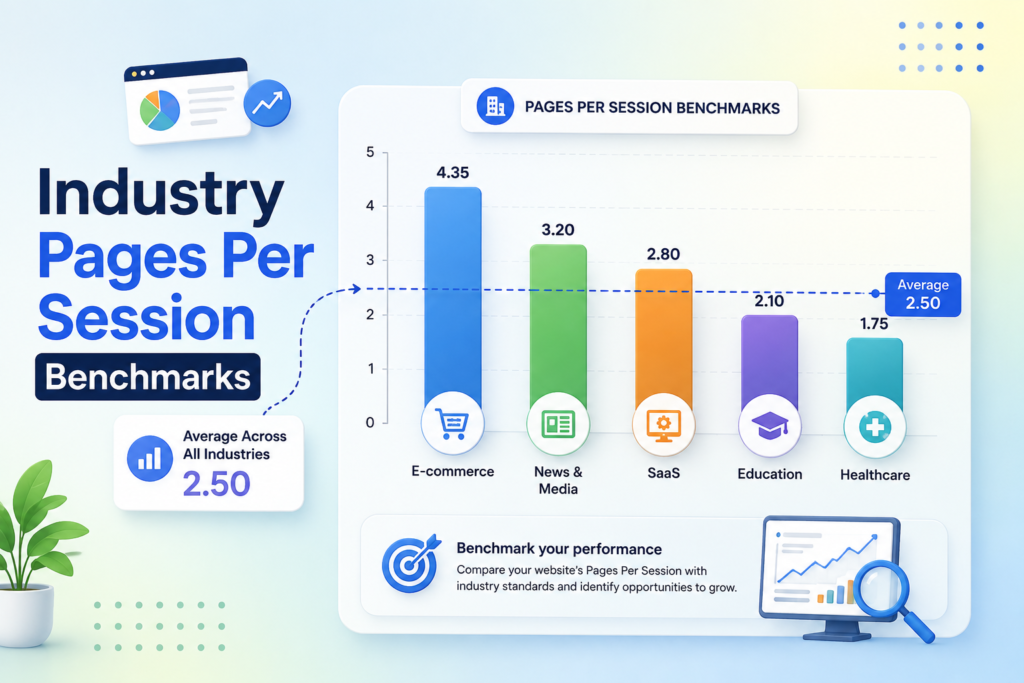
Comparing your site metrics to the wrong industry can lead to misleading conclusions about your growth. To gain a true understanding of your performance, you must evaluate your data against a relevant pages per session benchmark. Without this context, you might misinterpret high or low engagement levels as failures or successes when they are actually standard for your field.
Analyzing Averages Across Different Business Sectors
Different business models naturally drive varying levels of user interaction. For instance, a media site designed for long-form reading will naturally see a higher page per session count than a utility-focused service site. The following table illustrates how these expectations shift across common digital sectors.
| Industry Sector | Average Pages Per Session | Primary Goal |
|---|---|---|
| E-commerce | 2.5 – 4.0 | Conversion |
| B2B Services | 1.5 – 2.5 | Lead Generation |
| Content/Media | 3.0 – 5.0 | Ad Impressions |
Why Your Specific Niche Dictates Your Success
Your specific niche dictates your success because user intent varies wildly between industries. A visitor on a banking website usually wants to complete a single task quickly, while a visitor on a blog expects to explore multiple topics. Setting realistic goals based on your specific sector allows you to focus on meaningful improvements rather than chasing vanity metrics.
“Context is the bridge between raw data and actionable strategy; without it, numbers are merely noise in an otherwise busy digital environment.”
When you analyze your pages per session, remember that your primary objective should be user satisfaction. If your users find exactly what they need on a single page, a lower count is not necessarily a negative outcome. Always prioritize the quality of the journey over the quantity of clicks to ensure your site remains effective for your unique audience.
Factors That Influence Your Pages Per Session
You can significantly boost your site performance by mastering the factors that drive user navigation. When visitors arrive at your site, they look for immediate value and a smooth experience. Understanding these core drivers helps you optimize your site to increase the average pages per session.
The Role of Content Quality and Relevance
High-quality content acts as the primary magnet for your audience. If your articles or product descriptions provide genuine solutions, users are naturally inclined to explore further. Relevance is the key to keeping a reader interested in your brand.
When your content aligns perfectly with user intent, you reduce bounce rates effectively. Providing deep, well-researched information encourages visitors to click on additional links. This behavior directly improves your overall page per session metrics.
How Website Speed Impacts User Navigation
Technical performance is just as important as the words on your screen. A slow-loading website frustrates users and often leads them to abandon their journey before it begins. Fast load times are essential for maintaining momentum during a visit.
When pages load instantly, users feel more comfortable clicking through your site architecture. If your site is sluggish, you lose the opportunity to showcase more content. Prioritizing speed ensures that your visitors remain engaged throughout their entire session.
The Influence of Internal Linking Strategies
Think of your internal linking as a digital roadmap for your guests. By strategically connecting related topics, you guide users toward deeper exploration of your site. Smart linking keeps visitors moving through your content funnel naturally.
Effective links provide context and encourage users to discover more than just their landing page. When you offer clear paths to relevant information, you naturally increase the number of pages per session. This simple strategy transforms a single visit into a comprehensive exploration of your expertise.
Technical Considerations for WordPress Users
WordPress users have unique opportunities to guide their audience through a seamless digital journey. By refining your technical setup, you can influence how visitors interact with your content and ultimately improve your pages per session metrics. A well-structured site encourages users to stay longer and explore more deeply.
Optimizing Site Architecture for Better Flow
Your site architecture acts as the roadmap for your visitors. If your navigation is cluttered, users will likely leave after viewing only one page. You should organize your content into logical categories and use a clean, intuitive menu structure to help users find what they need quickly.
Internal linking is another critical component of a healthy site architecture. By linking to relevant articles within your posts, you create a natural path for readers to follow. This strategy is essential for maintaining a high wordpress per session average, as it keeps the user engaged with your brand.
Using Plugins to Encourage Continued Exploration
Plugins are powerful tools that can automate the process of keeping users on your site. Many plugins allow you to display “Related Posts” or “Recommended Content” blocks at the end of every article. These features reduce friction by suggesting the next logical step for your reader.
When selecting plugins, prioritize those that are lightweight to ensure your site speed remains fast. A slow site will negate any benefits gained from better navigation. The following table highlights common plugin categories that help boost engagement.
| Plugin Category | Primary Benefit | Impact on Engagement |
|---|---|---|
| Related Posts | Suggests relevant content | High |
| Table of Contents | Improves navigation | Medium |
| Dynamic Sidebars | Displays custom widgets | Medium |
| Infinite Scroll | Loads content automatically | High |
By implementing these technical strategies, you create a more professional and user-friendly environment. Consistently monitoring your pages per session data will help you determine which plugins and structural changes provide the best results for your specific audience.
Strategic Redirects and Their Effect on Session Depth
Technical adjustments like redirects play a surprisingly large role in how many pages per session your visitors view. When you move content or update your site structure, you must ensure that these changes do not create friction for your audience. A well-managed transition keeps users moving through your site rather than bouncing away.
When to Use Redirects Without Hurting Engagement
You should only implement a redirect to page when it is absolutely necessary for site maintenance or content consolidation. Using a permanent 301 redirect is the best practice to preserve your SEO authority and ensure users land on the correct destination. Avoid creating redirect chains, as these slow down page load times and often frustrate visitors.
If a page no longer exists, avoid sending users to a generic homepage. Instead, direct them to a closely related piece of content that satisfies their original search intent. This approach keeps your pages per session metrics stable by preventing unnecessary exits.
Managing User Journeys Through Smart Redirects
Smart redirects act as a bridge that guides your visitors toward relevant information. By mapping your old URLs to high-quality, updated content, you maintain a seamless user experience. This strategy ensures that your site remains clean and efficient while providing value to your readers.
Always audit your site for broken links that might cause a dead end. When you proactively manage these transitions, you encourage users to continue exploring your site. A thoughtful redirect to page strategy is a powerful tool to protect your pages per session and keep your audience engaged with your brand.
Analyzing User Behavior Patterns
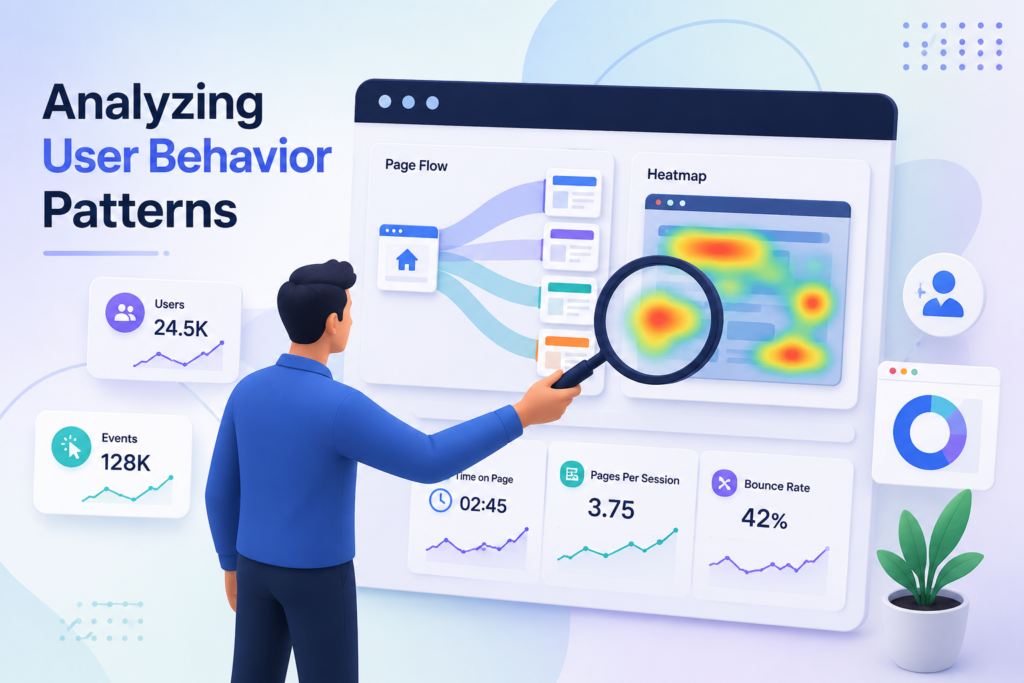
Data reveals the hidden story behind every click your visitors make on your website. By observing how people navigate your digital space, you gain the power to refine your content strategy based on real interactions rather than guesswork. This analytical approach is essential for increasing your pages per session and ensuring your audience finds exactly what they need.
Identifying High-Performing Landing Pages
Some pages on your site naturally act as magnets for engagement. These high-performing landing pages often feature clear value propositions and intuitive layouts that encourage users to explore further. When you identify these successful areas, you can replicate their design elements across other parts of your site to boost your overall pages per session metrics.
“The goal is not to get more traffic, but to get more of the right traffic that engages deeply with your content.”
Recognizing Where Users Drop Off
It is equally important to pinpoint exactly where your visitors decide to leave. High bounce rates on specific pages often signal a disconnect between user expectations and the content provided. By identifying these friction points, you can troubleshoot technical issues or improve content relevance to keep users moving through your site.
Proactive optimization allows you to turn potential exits into opportunities for continued exploration. When you fix these weak links, you create a smoother journey that naturally improves your pages per session. Always remember that every exit is a data point that helps you build a more effective and user-friendly website.
Proven Strategies to Increase Pages Per Session
Transforming how visitors interact with your content starts with intentional design choices. By focusing on user-centric layouts, you can guide your audience through a deeper journey across your website. These adjustments help boost your pages per session metrics while providing genuine value to every visitor.
Make Every Website Visit More Valuable
Turn casual visitors into engaged users by optimizing navigation, recommending relevant content, and creating seamless journeys that encourage meaningful exploration across your website.
Implementing Effective Call-to-Action Buttons
Your call-to-action (CTA) buttons serve as the primary signposts for your users. Instead of generic labels, use action-oriented language that encourages the reader to explore further. A well-placed button can naturally lead a user to the next logical step in their journey.
Ensure your buttons stand out visually by using contrasting colors that align with your brand identity. When a user finishes reading a blog post, a clear “Read More” or “Explore Related Topics” button keeps them engaged. This simple addition is a powerful way to increase your pages per session.
Curating Related Content Recommendations
Providing relevant suggestions is essential for keeping users on your site. When you curate content that matches the current topic, you build trust and authority. This strategy encourages visitors to click through to additional articles rather than leaving after one view.
Consider using automated recommendation engines or manually selecting high-performing posts to display at the bottom of your pages. By offering personalized content paths, you make exploration effortless for your audience. This approach directly impacts your total pages per session by creating a seamless flow of information.
Designing Intuitive Navigation Menus
An intuitive navigation menu acts as the backbone of your website architecture. If users cannot find what they need, they will likely exit your site immediately. Simplify your menu structure to highlight your most important categories and high-value pages.
Use descriptive labels that help users understand exactly what to expect when they click a link. A clean, organized menu reduces friction and allows visitors to discover more content with ease. Below is a summary of how these strategies compare in terms of implementation and impact.
| Strategy | Primary Benefit | Ease of Setup | Impact on Engagement |
|---|---|---|---|
| CTA Buttons | Directs User Flow | High | High |
| Related Content | Increases Relevance | Medium | Very High |
| Intuitive Menus | Improves Discovery | Medium | Medium |
Common Misconceptions About Engagement Metrics
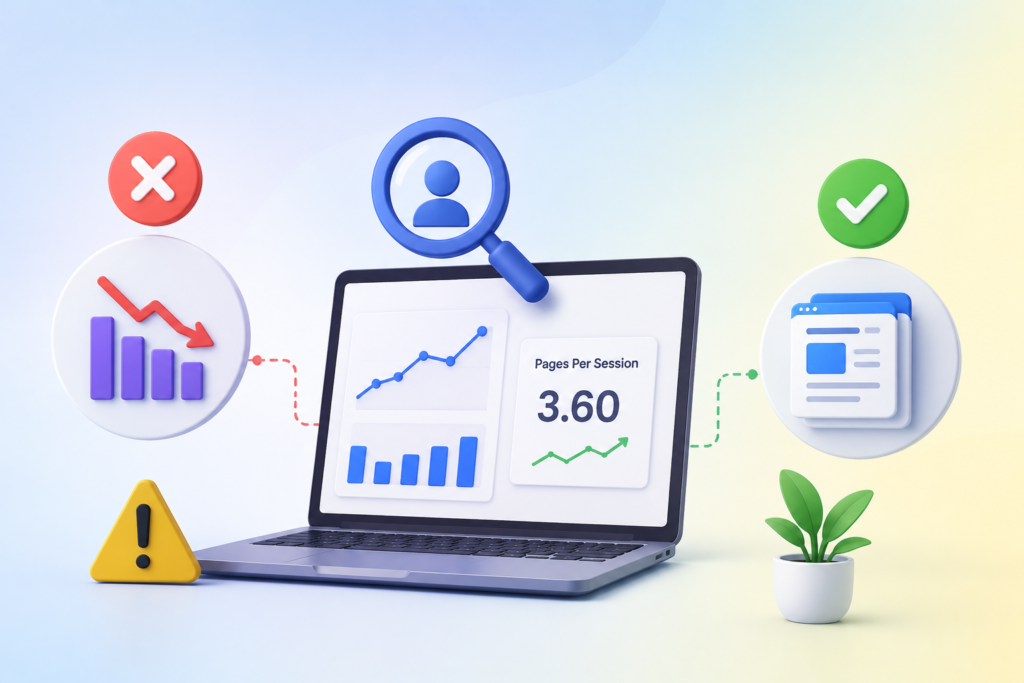
It is a common trap to assume that more clicks automatically mean a better user experience. Many digital marketers fixate on increasing their pages per session, believing it is the ultimate indicator of site health. However, this metric does not always tell the full story of your visitor’s journey.
Why More Pages Is Not Always Better
A high number of pages per session can sometimes signal that your visitors are lost. If a user clicks through five different pages to find a simple contact form, they are likely experiencing frustration rather than engagement. Efficiency is often a better indicator of success than volume.
When users struggle to find the information they need, they may bounce entirely after a long, circular journey. You should aim for a balance where the pages per session metric reflects meaningful exploration. If your site architecture is confusing, your data will show high page counts that actually mask a poor user experience.
Balancing User Experience with Data Goals
You must align your analytical goals with the actual needs of your audience. A successful website provides value quickly, allowing users to achieve their objectives without unnecessary friction. Prioritizing user satisfaction will naturally lead to more sustainable engagement over time.
Focus on creating intuitive paths that guide visitors toward their goals efficiently. By refining your navigation, you ensure that every pages per session count represents a positive interaction. Ultimately, your data should serve as a tool to improve the user experience, not just a scoreboard for vanity metrics.
Ready to Increase Pages Per Session?
Transform your analytics into actionable insights with smarter internal linking, stronger CTAs, faster pages, and engaging content that keeps visitors exploring your website.
Conclusion
Mastering your website metrics transforms how you connect with your audience. You now possess the tools to calculate, analyze, and improve your pages per session with precision. These insights empower you to move beyond simple observation toward active site management.
Building a high-performing digital experience requires a commitment to ongoing refinement. You should view your pages per session as a living indicator of user interest. Small adjustments to your navigation or content layout often yield significant improvements in how visitors interact with your brand.
Google Analytics 4 provides the foundation for your success. Use this data to identify where your audience finds value and where they encounter friction. By prioritizing user needs alongside your business objectives, you create a sustainable path for growth.
Start testing new internal linking strategies or call-to-action placements today. Consistent monitoring ensures your website remains a relevant destination for your target market. Your dedication to optimizing these metrics will drive better results for your digital marketing efforts over time.
FAQs
What are pages per session and why is it a critical metric for my website?
What is pages per session refers to the average number of pages a visitor views during a single sitting on your site. It is a vital indicator of user engagement because it demonstrates how effectively your content captures interest and encourages exploration. High figures generally suggest that your site architecture and content strategy are resonating with your audience, directly impacting your brand’s ability to convert visitors into customers.
How to calculate pages per session manually to ensure data accuracy?
To determine how to calculate pages per session, you simply divide the total number of pageviews by the total number of sessions within a specific timeframe. For example, if Google Analytics reports 1,000 pageviews across 500 sessions, your average is 2.0. This standard formula helps you verify your performance data and identify potential discrepancies in your automated reporting tools.
How to find pages per session in ga4 for my business reports?
To learn how to find pages per session in ga4, navigate to the “Reports” section, select “Engagement,” and then click on “Pages and screens.” In the Google Analytics 4 interface, you may see this referred to as “Views per session.” You can also customize your standard reports or create an “Exploration” to see how this metric performs across different traffic sources or user demographics.
What is a typical pages per session benchmark for my industry?
A pages per session benchmark varies significantly depending on your sector. For instance, e-commerce giants like Target or Walmart often see higher numbers because users browse multiple product listings. Conversely, a B2B service site might have a lower count if users find specific contact information quickly. Generally, a benchmark of 2 to 3 pages is considered standard, while anything above 4 is excellent for content-heavy sites.
How can I improve the WordPress per session average for my blog or site?
Improving your wordpress per session average involves optimizing your site architecture and using tools like Yoast SEO or MonsterInsights. By implementing “Related Posts” sections at the end of your articles or using sidebar widgets to highlight trending content, you provide clear paths for your readers to follow, keeping them on your site longer and reducing your bounce rate.
Does using a redirect to page strategy impact my overall session depth?
Yes, a redirect to page strategy can influence your engagement data. If you use 301 redirects to guide users from outdated content to fresh, relevant pages, you maintain the user journey’s flow. However, excessive or circular redirects can frustrate users and lead to site abandonment. When managed correctly, smart redirects ensure that your page per session count remains healthy by preventing users from hitting “404 Not Found” errors.
What are the most effective ways to increase my page per session metrics?
To boost your page per session count, you should focus on three main pillars: improving website speed, crafting high-quality internal links, and placing clear call-to-action buttons. Strategic content curation, showing users “what to read next” is a proven method used by platforms like Medium or Forbes to ensure visitors remain active and engaged with the brand for longer durations.
Is a high pages per session count always a sign of success for my user experience?
Not necessarily. While high engagement is usually positive, an unusually high number of pages per session could indicate that your visitors are confused or cannot find the information they need. It is essential to balance your data goals with a seamless user experience, ensuring that your navigation is intuitive rather than a maze that forces users to click through multiple pages just to find a simple answer.
How does internal linking influence my website’s engagement metrics?
Internal linking acts as a roadmap for your visitors. By linking to relevant articles or service pages within your content, you encourage users to stay on your site and explore related topics. This not only improves your page per session metrics but also helps search engines like Google understand the hierarchy and importance of the different pages on your website.
4 thoughts on “Pages Per Session: Everything You Need To Know”