
Have you ever opened Google Analytics, checked your website traffic, and wondered why some visitors appear under referral while others are listed as direct? Both sources bring people to your website, but they work differently, come from different places, and can tell you different things about your marketing performance.
Understanding referral traffic vs direct traffic is important if you want to know how people discover your website, which marketing activities attract visitors, and where you should focus your efforts. For example, someone clicking a link to your website on another blog creates a different visit from someone entering your website address directly into their browser.
However, there is more to this comparison than simply understanding where visitors come from. Google Analytics 4 (GA4) uses traffic-source information to categorize sessions, and sometimes a visit that looks like direct traffic may have originated somewhere else. Missing tracking parameters, redirects, and other technical issues can affect attribution.
So, what exactly separates these two traffic sources? Which one is more valuable? How can you track them correctly? And how can website owners use both to build a stronger online presence?
In this guide, we will explain everything in simple language, with practical examples, tracking instructions, and actionable strategies you can apply to your website.
Key Takeaways
- Referral traffic comes from visitors who click links on other websites that lead to your website.
- Direct traffic generally represents visits where Google Analytics cannot identify a referring source, including people who type your URL or use bookmarks.
- GA4 helps you compare both sources through the Traffic acquisition report and dimensions such as Session source, Session medium, and Session default channel group.
- Neither traffic source is automatically better. Visitor relevance, engagement, conversions, and business goals matter more than visitor numbers alone.
- A balanced traffic strategy can include referral partnerships, brand awareness, direct visits, content promotion, and carefully measured traffic campaigns.
Ready to Bring More Visitors to Your Website?
Explore DSPTraffic’s website traffic options, discover different traffic sources, and find a plan that matches your website’s growth goals.
What Is Referral Traffic?
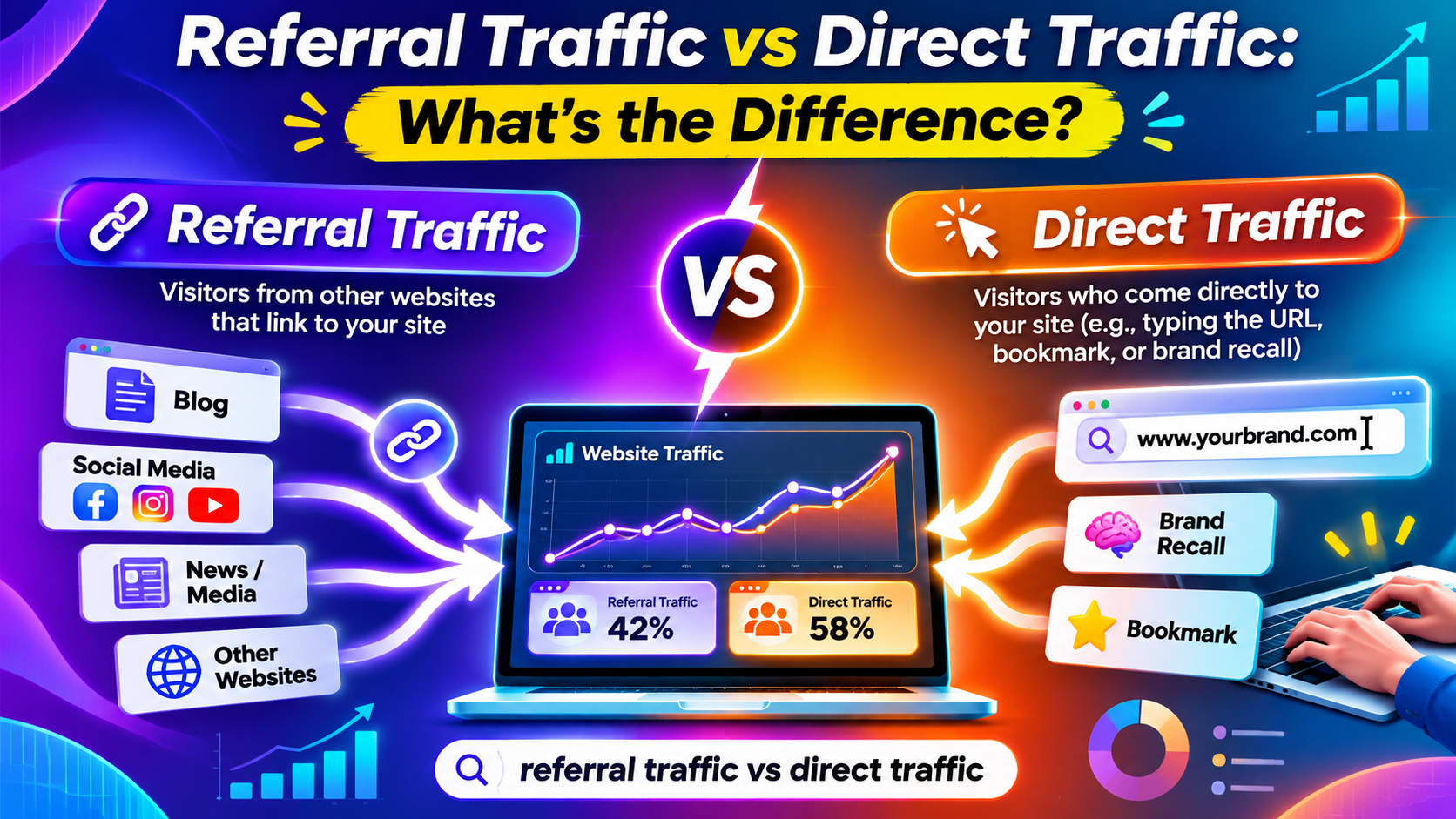
Referral traffic refers to visitors who reach your website by clicking a link on another website. Instead of discovering your website through a search engine or typing your address directly, they arrive through an external online source.
Think about reading an article on a popular industry blog. You notice a link mentioning a useful tool, click it, and land on that tool’s website. If the referring information is available and correctly attributed, that visit can appear as referral traffic in Google Analytics.
In simple terms, another website introduces its audience to your website, which is an important part of understanding referral traffic vs direct traffic.
Examples of Referral Traffic
Here are some everyday situations that can generate referral visits and help explain referral traffic vs direct traffic:
1. Links from industry blogs
Suppose you run a digital marketing website. Another marketing blog publishes an article about website growth and links to one of your guides. Readers who click that link may arrive as referral visitors.
2. Links from online publications
A news website, business publication, or online magazine mentions your company and includes a link to your homepage. Visitors who click that link can become referral traffic.
3. Links from partner websites
Imagine collaborating with another business. It publishes a resource page that recommends your website. People who follow the recommendation may arrive through that external source.
4. Forum and community links
Someone shares your useful article in an online discussion. Readers who click the link can generate referral visits, depending on how the platform and analytics system pass referral information.
5. Affiliate and resource links
Affiliate publishers, industry directories, and resource pages can also send visitors to your website through clickable links.
Why Is Referral Traffic Important?
Referral traffic can help your website reach people who may not have discovered your brand otherwise, making it an important consideration in referral traffic vs direct traffic.
Its value depends on the referring website and the audience it attracts, which is an important factor when comparing referral traffic vs direct traffic.
For example, receiving 100 visitors from a website that regularly discusses your industry may be more useful than receiving 1,000 visitors from an unrelated source. The smaller audience may have a stronger interest in your products, services, or content.
Some benefits include:
- Audience discovery: Reach visitors who already follow websites in your industry.
- Brand exposure: Introduce your business to new audiences.
- Relevant visits: Attract people interested in related subjects.
- Relationship building: Develop connections with publishers, bloggers, and business partners.
- Potential conversions: Bring interested visitors to product pages, service pages, and other important destinations.
When evaluating referral traffic vs direct traffic, remember that referral visits can provide useful information about which external websites are introducing people to your brand.
What Is Direct Traffic?
Direct traffic is a category used in analytics to describe website visits without an identifiable referring source or campaign attribution.
Many people understand direct traffic as visitors who type a website address into their browser, but referral traffic vs direct traffic involves more than this simple distinction. That is one common example, but the definition is broader.
In Google Analytics 4, a session is generally categorized as direct when no usable information about its referral source is available or when the referring source is configured to be ignored.
This distinction is important because not every direct session necessarily represents someone who already knows your brand.
Examples of Direct Traffic
1. Typing a website address
Someone hears about your business, opens a browser, types your website URL, and visits your homepage. This is a typical example of a direct visit.
2. Clicking a saved bookmark
A visitor saves your website in their browser and returns later by clicking that bookmark.
3. Clicking an untracked email link
Someone receives an email containing a link to your website. If the link does not carry suitable campaign information and no other source is available, the visit may appear as direct.
4. Opening a link from an offline document
A visitor clicks a website link in a PDF, Word document, or another offline resource. Depending on the available tracking information, the visit may be categorized as direct.
5. Visiting through a source that does not pass referral information
Some applications, privacy settings, browsers, and technical configurations may prevent analytics from identifying the original source.
Why Is Direct Traffic Important?
Direct traffic can indicate that people are returning to your website or accessing it through channels that do not provide clear attribution, an important detail in referral traffic vs direct traffic analysis.
For example, imagine a customer remembers your brand after seeing it in an advertisement. A few days later, the customer enters your website address manually. Analytics may record that session as direct.
This visit may reflect previous marketing activity even though GA4 cannot connect it to the original advertisement, an important consideration in referral traffic vs direct traffic analysis.
Direct traffic can be useful for understanding:
- Brand recognition and repeat visits.
- Returning visitors and established audiences.
- Website accessibility through bookmarks.
- Untracked marketing activity.
- Gaps in campaign attribution.
However, it is important not to assume that every direct visitor is a loyal customer. Some direct traffic is simply unattributed traffic.
Referral Traffic vs Direct Traffic: What’s the Difference?
Now that you understand both concepts, let’s compare them side by side.
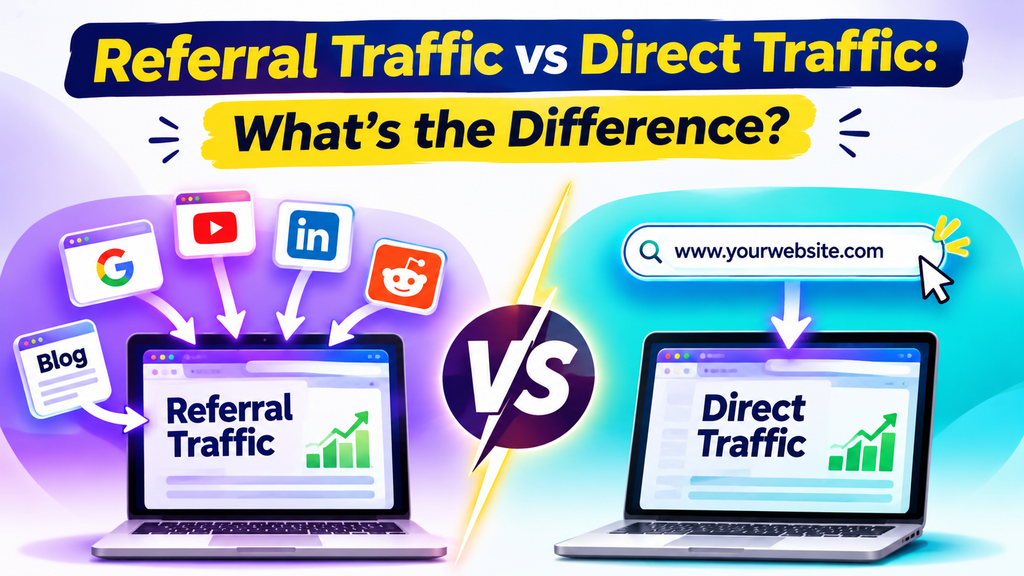
The main difference in referral traffic vs direct traffic is how a visitor arrives at your website and whether analytics can identify the source of that visit.
| Comparison factor | Referral traffic | Direct traffic |
|---|---|---|
| Basic meaning | Visitors arriving through links on external websites | Visits without an identifiable referral source |
| Typical source | Blogs, publications, partner websites, directories | Typed URLs, bookmarks, or unattributed visits |
| Referring website | Usually identifiable | Usually unavailable |
| GA4 classification | Generally Referral when channel rules match | Generally Direct when source is direct and medium is none or not set |
| Tracking | Referrer information and campaign tags | Direct or missing source information |
| Marketing insight | Shows which external sources send visitors | Can indicate returning visits or attribution gaps |
| Growth opportunities | Partnerships, mentions, useful links | Brand awareness, repeat visits, memorable URLs |
| Main measurement focus | Referring sources and visitor quality | Returning behavior, engagement, and attribution accuracy |
1. Where Visitors Come From
Referral visitors generally arrive after clicking a link on another website. Direct visits, on the other hand, are recorded when the analytics system cannot identify an external source.
For example, a person clicks a link in a business directory and reaches your homepage. That can be referral traffic, illustrating one side of referral traffic vs direct traffic.
Another person enters your website URL directly into their browser. That can be direct traffic.
This is the simplest way to understand direct vs referral traffic.
2. How Analytics Identifies Each Source
Google Analytics uses information such as the referring URL, campaign parameters, and other available traffic-source details to attribute sessions, helping explain referral traffic vs direct traffic in reports.
Referral sessions may display a referring website as their source. Direct sessions commonly appear with the source (direct) and medium (none).
However, the classification depends on the available information and GA4’s processing rules.
3. What Each Source Tells You
Referral traffic can reveal which external websites are sending people to your pages, providing useful context when analyzing referral traffic vs direct traffic.
Direct traffic can help you understand visits that have no identifiable external source, which is why referral traffic vs direct traffic requires careful interpretation. It may include returning visitors, but it can also include visits from campaigns with incomplete tracking.
4. How You Can Improve Them
You can improve referral traffic by publishing useful content, developing relevant partnerships, earning legitimate mentions, and participating in industry communities, all of which can support your referral traffic vs direct traffic strategy.
Direct traffic can grow through stronger brand recognition, repeat customer relationships, useful content, newsletters, and consistent communication.
Neither source should be judged by volume alone.
5. Which One Provides Better Marketing Insights?
Referral traffic often provides more specific information about external website sources. Direct traffic can be more difficult to interpret because its original source may be unknown.
If you want to understand which external publications are sending visitors, referral reports are especially useful.
If you want to investigate repeat visits or missing attribution, direct traffic deserves attention.
Direct Traffic vs Referral Traffic: Real-Life Examples
Sometimes a simple example explains more than a technical definition, especially when learning about referral traffic vs direct traffic.
Let’s imagine you operate an online business called ABC Digital.
During one week, your website receives visitors from several places:
- A marketing blog publishes a link to your website.
- A customer types your website address into a browser.
- Someone opens your website from a saved bookmark.
- A business directory recommends your services.
- A visitor opens an untagged email link.
How might these visits appear in analytics, and what can they teach you about referral traffic vs direct traffic?
| Visitor activity | Possible GA4 classification |
|---|---|
| Clicks a link on a marketing blog | Referral |
| Types your website address | Direct |
| Opens a saved bookmark | Direct |
| Clicks a tracked email campaign link | |
| Clicks an untagged email link | Potentially Direct |
| Clicks a link from a business directory | Referral |
The word “possible” matters here. Analytics attribution depends on the information available when the session begins, campaign tagging, referral exclusions, and other configuration details.
For example, a link on a social platform should not automatically be treated as referral traffic. Depending on its source and GA4 channel rules, it may appear under Organic Social, Paid Social, or another category.
Understanding these details makes the comparison between direct vs referral traffic more practical.
Direct vs Referral Traffic GA4: How Does Google Analytics 4 Track Them?
Google Analytics 4 provides several traffic-source dimensions that help website owners understand where their visitors come from and analyze referral traffic vs direct traffic.
The important thing is to look beyond the total number of sessions. You should also examine the source, medium, channel grouping, and visitor behavior.
Understanding Source, Medium, and Channel
Before checking your reports, understand these three terms, because they help clarify referral traffic vs direct traffic in GA4.
Source: Identifies where the traffic came from. Examples include google, facebook.com, or a referring website.
Medium: Describes the type of traffic. Examples include organic, referral, email, and cpc.
Default channel group: Places traffic into broader categories, such as Direct, Referral, Organic Search, and Paid Social.
For example:
| Source / Medium | Meaning |
|---|---|
exampleblog.com / referral | Visitors from an external website |
(direct) / (none) | Visits without an identifiable source |
newsletter / email | Visitors from a tracked email campaign |
google / organic | Visitors from unpaid Google search results |
These values help you understand the difference between direct and referral traffic in Google Analytics.
How to Check Referral and Direct Traffic in GA4
Follow these steps:
Step 1: Open Google Analytics 4
Sign in to your Google Analytics account and select the correct website property.
Step 2: Navigate to Reports
Open the Reports section from the left-hand navigation menu.
Step 3: Open the Traffic Acquisition Report
Select:
Reports → Acquisition → Traffic acquisition.
This report helps you understand how visitors arrive during their sessions, and makes it easier to compare referral traffic vs direct traffic.
Step 4: Select the Right Dimension
Look for the Session default channel group dimension.
You should be able to identify channels such as Direct and Referral, alongside other available traffic channels.
Step 5: Compare Sessions
Review the session numbers for both channels.
For a more detailed view of referral traffic vs direct traffic, change the primary dimension to Session source / medium.
This helps you identify the websites or sources associated with referral sessions and inspect direct attribution.
Step 6: Compare Engagement and Conversions
Don’t stop after looking at the session count.
Review available metrics such as:
- Engaged sessions.
- Engagement rate.
- Average engagement time per session.
- Key events.
- Purchases or leads, where relevant.
This helps you understand whether the traffic is contributing to your website’s actual objectives.
Understanding Direct vs Referral Traffic Google Analytics Reports
A common mistake is to look only at the default channel grouping and assume it tells the entire story.
It is better to examine both channel and source-level information, when analyzing referral traffic vs direct traffic in Google Analytics.
For example, the Referral channel may show an overall number of sessions. The Session source / medium dimension can help you identify individual referring websites.
Similarly, Direct may appear as a channel, while the source and medium commonly appear as (direct) / (none).
If you want a more detailed analysis, use GA4 Explorations to compare traffic sources, landing pages, engagement, and key events.
Why Is My Direct Traffic Higher Than Referral Traffic?
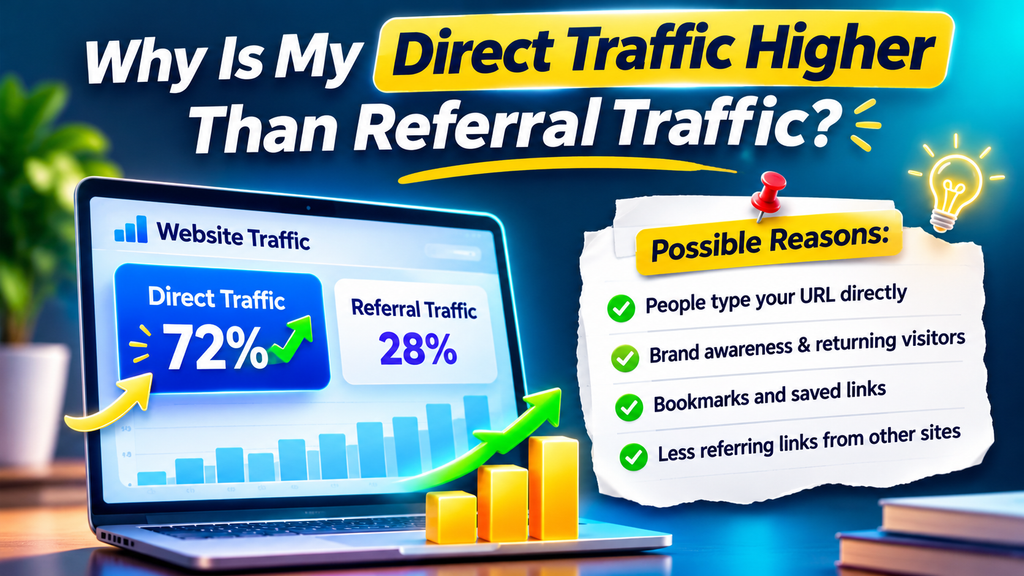
Have you noticed that direct traffic is much higher than referral traffic in your analytics dashboard?
This is not necessarily a problem, but understanding the reasons behind it is important when evaluating referral traffic vs direct traffic. It may simply mean that more visitors arrive without an identifiable referring source.
However, an unusually high direct traffic percentage can also point to tracking issues.
Here are some possible reasons that can help you better understand referral traffic vs direct traffic in your analytics reports.
1. Missing UTM Parameters
Suppose you share your website link in an email newsletter.
If the link does not contain campaign tracking information, GA4 may not identify the visit as email traffic.
Depending on the available referrer information, it may appear as direct, which can affect your referral traffic vs direct traffic comparison.
What to do: Use consistent UTM parameters for campaigns that need attribution.
2. Redirects Removing Tracking Information
Some redirects can remove query parameters from a URL.
For example, a visitor clicks a tagged campaign link, but a redirect sends them to another page without preserving the tracking parameters.
The result may be incomplete attribution, making it harder to interpret referral traffic vs direct traffic accurately.
What to do: Test your redirects and confirm that important campaign parameters survive the entire journey.
3. Privacy Settings and Browser Restrictions
Browsers, privacy tools, and ad blockers can affect the information available to analytics systems.
As a result, some visits may not have a clearly identifiable source, affecting how referral traffic vs direct traffic appears in your reports.
What to do: Check your analytics implementation and avoid assuming that all unattributed traffic represents direct brand visits.
4. Untracked Social Media and Email Links
Links shared through emails, messaging applications, and social platforms may not always provide the source information you expect.
What to do: Add suitable UTM tags to marketing links and test how they appear in GA4.
5. Incorrect Analytics Configuration
Problems with Google tags, consent implementation, session handling, or cross-domain tracking can affect reporting.
What to do: Review your GA4 and Google Tag Manager configuration. Test important user journeys and check whether the expected source information appears.
Google explains these direct-traffic attribution issues in its official GA4 documentation on direct traffic.
How to Increase Referral Traffic to Your Website
Now that you understand referral traffic vs direct traffic, let’s look at practical ways to increase visits from external websites.
The goal should not be to collect links from every available platform when developing a balanced referral traffic vs direct traffic strategy. It should be to attract visitors from sources that make sense for your audience.
1. Publish Useful, Link-Worthy Content
Create articles, tutorials, original research, comparisons, and resources that other website owners may genuinely find useful.
For example, if you operate a digital marketing website, publish practical guides about analytics, website traffic, SEO, and online growth.
When your content answers real questions, other publishers have a reason to reference it.
2. Build Relationships With Relevant Websites
Identify blogs and websites that serve audiences similar to yours.
You can:
- Contribute expert insights.
- Offer useful resources.
- Participate in industry interviews.
- Collaborate on relevant content.
- Share original information with publishers.
Focus on genuine value instead of exchanging links simply to increase numbers when building a sustainable referral traffic vs direct traffic strategy.
3. Participate in Online Communities
Relevant communities can introduce your content to interested people.
Answer questions on forums and professional platforms. Share your website only when it genuinely helps the discussion and follows the community’s rules.
Helpful participation is more sustainable than repeatedly posting promotional links.
4. Create Valuable Business Partnerships
Work with complementary businesses that serve similar audiences.
For example, a web design agency and a marketing consultancy may share useful resources with each other’s audiences.
Such partnerships can create referral opportunities while building professional relationships.
5. Track Your Best Referring Websites
Open GA4 and identify which external sources send visitors.
Don’t just ask which website sends the most people. Also examine:
- Which source sends engaged visitors?
- Which referring website generates enquiries?
- Which landing pages attract the most interest?
- Which sources generate repeat visits?
- Which sources have the strongest conversion performance?
This helps you invest time in relationships that produce meaningful results.
Looking for More Ways to Grow Your Website Traffic?
Explore flexible traffic plans with source, geographic, and device targeting options to support your website traffic campaigns.
How to Increase Direct Traffic to Your Website
Growing direct traffic requires a different approach, which is why referral traffic vs direct traffic should be considered from separate marketing perspectives.
Since direct traffic is not limited to people who intentionally type your URL, focus on building brand recognition and making it easier for people to return to your website.
1. Build a Recognizable Brand
Use consistent branding across your website, social media profiles, marketing materials, and customer communication.
When people remember your brand name, they are more likely to search for it, bookmark your website, or visit it again.
2. Publish Content People Want to Revisit
Create useful resources that solve recurring problems.
Examples include:
- Step-by-step tutorials.
- Industry guides.
- Product comparisons.
- Downloadable resources.
- Helpful checklists.
- Regularly updated articles.
Content that provides ongoing value gives visitors a reason to return.
3. Use Email Marketing With Proper Tracking
Email newsletters are useful for bringing people back to your website.
However, don’t leave email attribution to chance.
Use UTM parameters to identify email traffic correctly. This allows you to distinguish email campaign sessions from genuinely unattributed direct visits.
4. Make Your Website Easy to Remember
Choose a clear domain name and use it consistently.
Mention your website in business communication, presentations, brochures, and other appropriate offline materials.
Make sure your website loads properly on mobile devices and provides a straightforward browsing experience.
5. Give Existing Visitors a Reason to Return
Publish new resources, update older guides, offer useful newsletters, and provide relevant product information.
Repeat visits become more likely when your website continues to offer something valuable, supporting the direct-traffic side of referral traffic vs direct traffic.
A balanced approach to referral traffic vs direct traffic helps you understand whether people are discovering your brand through external websites or returning through other routes.
Which Is Better: Referral Traffic or Direct Traffic?
This is one of the most common questions website owners ask.
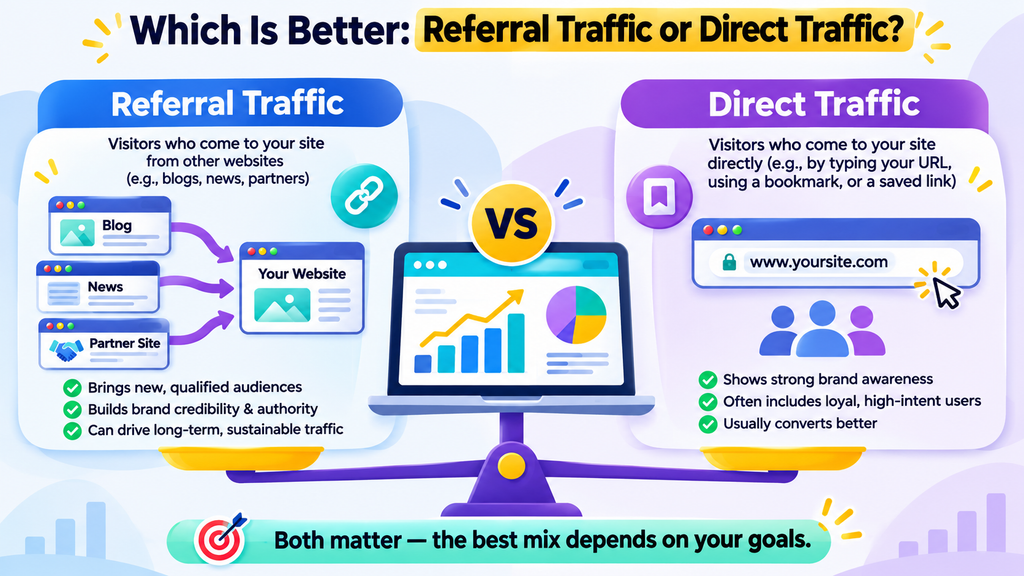
The honest answer is that neither is automatically better.
Both can contribute to website growth, but their value depends on your audience, marketing goals, and the quality of the visits, which is central to referral traffic vs direct traffic.
When Referral Traffic May Be Better
Referral traffic can be especially useful when:
- You want to reach a new audience.
- Your brand needs exposure in a particular industry.
- You want to evaluate external partnerships.
- You are promoting a new article or resource.
- You want to identify websites that generate enquiries.
For example, a software company may benefit from a mention on a respected technology publication because the publication’s readers are already interested in software.
When Direct Traffic May Be Better
Direct traffic can be useful when:
- You have an established audience.
- Customers frequently return to your website.
- People remember your domain name.
- You want to monitor unattributed visits.
- You are evaluating the effect of broader brand awareness.
For example, an online store with returning customers may receive many direct sessions from people who already know its website.
Compare Quality Instead of Just Quantity
Imagine two websites:
Website A receives 5,000 referral sessions, while Website B receives 2,000 direct sessions.
At first glance, Website A appears to perform better.
But suppose Website A generates very few enquiries, while Website B generates substantially more qualified leads.
The higher traffic count does not automatically mean better business performance, an important lesson when evaluating referral traffic vs direct traffic.
Evaluate both sources using the same measurement framework:
| Metric | What it tells you |
|---|---|
| Sessions | How many sessions came from the source |
| Engaged sessions | How many sessions met GA4’s engagement criteria |
| Engagement rate | The percentage of engaged sessions |
| Key events | Whether visitors completed important actions |
| Purchases or leads | Whether traffic contributed to business objectives |
| Landing pages | Which pages visitors entered through |
| Engagement time | How long visitors actively engaged with your website |
The most useful approach to direct vs referral traffic is to compare visitor behavior against your actual business objectives.
How DSPTraffic Fits Into a Website Traffic Strategy
Understanding where your visitors come from is only one part of building a website traffic strategy. You also need to consider your audience, target locations, device preferences, landing pages, and measurement setup.
This is where DSPTraffic can be relevant to website owners who want to explore different traffic acquisition options.
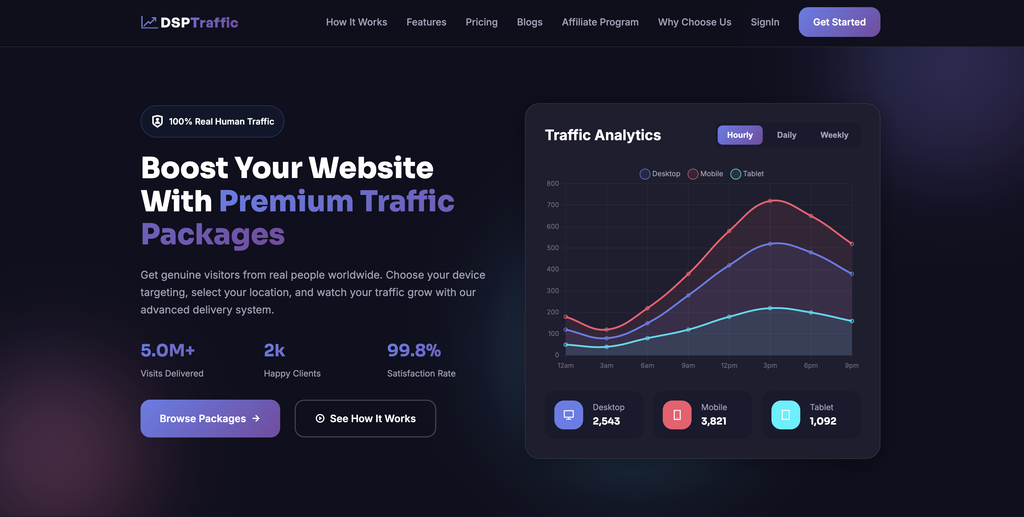
DSPTraffic is a website traffic platform that provides traffic packages and options for selecting traffic sources, locations, and devices.
Rather than treating all website visits as identical, website owners can consider which type of traffic they want to explore based on their campaign requirements.
Explore Different Traffic Sources
DSPTraffic lists multiple website traffic options, including organic, social media, referral, and direct traffic.
This gives website owners a way to explore different acquisition categories according to their objectives.
For example, a business interested in external website visits may want to explore referral traffic, while another business may want to examine direct visits as part of its broader traffic strategy.
However, selecting a traffic option does not remove the need to check how visits are attributed in GA4. Actual source and channel reporting depends on the tracking information available during a session.
Choose Relevant Geographic Locations
Not every website needs visitors from every country.
A local business serving customers in the United States may have different audience requirements from a company targeting customers in India or Europe.
DSPTraffic provides geographic targeting options that allow website owners to select specific countries and regions.
This can be useful when you want to examine traffic patterns from particular locations.
Consider Desktop and Mobile Visitors
Your website may perform differently across devices.
For example, an e-commerce store may receive many mobile visits, while a B2B service website may receive a larger share of desktop visits.
DSPTraffic offers device targeting options, including desktop, mobile, and mixed traffic.
You can use this flexibility to examine how visitors interact with your website across different device categories.
Monitor Website Activity Through Analytics
Traffic numbers alone do not explain whether visitors find your website useful, so consider visitor quality when measuring referral traffic vs direct traffic.
DSPTraffic highlights analytics integration, allowing website owners to monitor available metrics such as visits, bounce rate, session duration, and engagement.
After starting a campaign, compare the incoming sessions with your existing traffic data.
Look at:
- Landing page performance.
- Device distribution.
- Geographic distribution.
- Engagement metrics.
- Key events and conversions.
- Changes in traffic-source attribution.
This is particularly important when studying referral traffic vs direct traffic because the source label is only one part of the visitor’s journey.
Use Traffic Campaigns With Realistic Expectations
Traffic acquisition should be connected to a clear objective.
For example, you may want to:
- Monitor how a new landing page performs.
- Examine website traffic from selected locations.
- Compare device-based visitor patterns.
- Observe how website pages handle additional visits.
- Understand analytics reporting across different traffic sources.
DSPTraffic describes its offering in terms of website traffic delivery and visitor metrics. However, website visits alone do not guarantee sales, leads, rankings, or customer engagement.
Your landing page quality, audience relevance, website speed, offer, and user experience all matter.
You can explore the available options on the official DSPTraffic website and review its traffic packages and pricing before deciding whether they match your requirements.
Common Mistakes to Avoid When Comparing Traffic Sources
Even when you understand the definitions, a few common mistakes can lead to incorrect conclusions when analyzing referral traffic vs direct traffic.
Mistake 1: Assuming All Direct Visitors Know Your Brand
Direct traffic includes sessions without identifiable attribution. It does not prove that every visitor intentionally entered your URL.
Better approach: Check returning-user trends and investigate possible attribution gaps.
Mistake 2: Treating Every External Link as Referral Traffic
An external link may be classified under another channel, depending on campaign tagging and GA4 channel rules.
Better approach: Examine Session source / medium and Session default channel group.
Mistake 3: Ignoring UTM Parameters
Untracked marketing links can make campaign performance difficult to understand.
Better approach: Use consistent campaign naming and UTM tagging.
Mistake 4: Comparing Traffic Sources Only by Session Count
A large number of sessions does not automatically mean more value.
Better approach: Compare engagement, key events, leads, and purchases.
Mistake 5: Forgetting About Landing Page Performance
Visitors may arrive on a page that does not answer their question or match their expectations.
Better approach: Review the landing pages associated with each source and improve their content, navigation, and calls to action.
Mistake 6: Ignoring Technical Attribution Problems
Redirects, cross-domain configuration, missing tags, and consent settings can affect traffic reporting.
Better approach: Test your tracking setup regularly.
Take the Next Step Toward Your Website Traffic Goals
Choose a DSPTraffic plan that suits your campaign requirements, explore available targeting options, and take the next step toward growing your website traffic.
Conclusion
Understanding referral traffic vs direct traffic is an important step toward making better website marketing decisions.
Referral traffic helps you identify visitors arriving through external websites, while direct traffic represents sessions for which no identifiable referring source is available. Although typing a URL or opening a bookmark can generate direct visits, missing tracking information can also cause other visits to appear in this category.
The best approach is not to choose one source and ignore the other. Instead, understand how each contributes to your website’s overall performance.
Use GA4 to monitor traffic sources, examine referring websites, review engagement, and track meaningful actions. Build relationships with relevant publishers, create content people want to revisit, improve brand recognition, and maintain accurate campaign tracking.
If you are exploring additional ways to manage website traffic, DSPTraffic provides options for traffic-source selection, geographic targeting, device targeting, and analytics monitoring. Evaluate these options according to your website’s needs and measure the results against realistic objectives.
Ultimately, successful website growth is not simply about getting more visitors. It is about understanding where visitors come from, what they do after arriving, and whether your website gives them a reason to stay.
FAQs
1. What is the main difference between referral traffic and direct traffic?
Referral traffic comes from visitors clicking links on external websites that lead to your website. Direct traffic represents sessions where analytics cannot identify a referring source. People typing your website address or using bookmarks are common examples of direct visits.
2. Is referral traffic better than direct traffic?
Neither source is always better. Referral traffic can introduce your website to new audiences through external websites, while direct traffic can include returning visitors and other unattributed sessions. The better source depends on visitor quality, engagement, conversions, and your business goals.
3. What does direct traffic mean in Google Analytics 4?
In GA4, direct traffic generally represents sessions without identifiable referral information. It commonly appears as (direct) for the source and (none) for the medium. It can include typed URLs, bookmarks, and visits affected by missing tracking information.
4. Why is my direct traffic higher than referral traffic?
Your direct traffic may be higher because people visit your website directly, use bookmarks, or arrive through links without proper tracking. Redirects, privacy settings, and missing UTM parameters can also contribute to unattributed visits. Check your tracking configuration before drawing conclusions.
5. How do I check referral traffic in GA4?
Open Reports, navigate to Acquisition, and select Traffic acquisition. Review the Session default channel group dimension to find Referral. You can also use Session source / medium to identify individual referring websites.
6. Does clicking a link from another website count as referral traffic?
Generally, yes, if the external website is recognized as the referring source and the visit is not attributed to another campaign or channel. However, GA4 classification depends on available referral information and campaign parameters.
7. Can email traffic be counted as direct traffic?
Yes. If someone clicks an email link without suitable campaign tracking and no other source information is available, the visit may appear as direct. Using UTM parameters with consistent email campaign naming helps GA4 identify email traffic more accurately.
8. How can I increase referral traffic to my website?
Create useful content, earn relevant website mentions, collaborate with industry publishers, build business partnerships, and participate in appropriate online communities. Monitor your referring websites in GA4 to understand which sources attract the most relevant visitors.
9. Does direct traffic help SEO rankings?
Direct traffic by itself is not a confirmed Google ranking factor. However, building brand awareness and attracting returning visitors can support broader marketing objectives. Focus on useful content, technical SEO, relevant links, and a good user experience rather than trying to increase a direct traffic number for rankings.
10. Can DSPTraffic help me explore referral and direct website traffic?
DSPTraffic offers website traffic options that include referral and direct traffic, along with geographic and device targeting. Website owners can explore these options according to their traffic requirements and monitor available analytics. Remember that the actual GA4 attribution depends on how each visit is tracked, and traffic volume does not guarantee conversions or improved search rankings.